You're looking at a Berth app
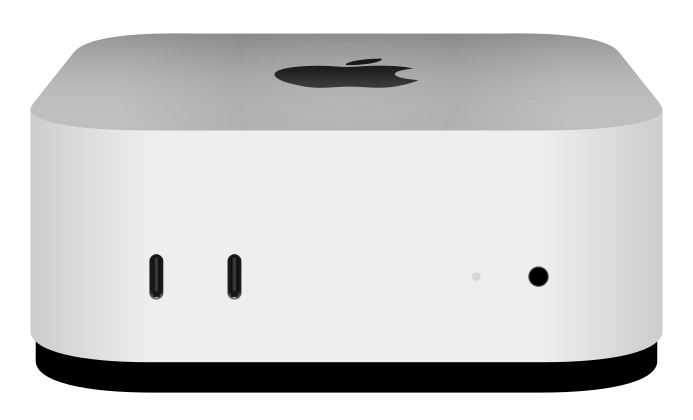
This site is served from a Mac mini in my closet, through a Cloudflare tunnel. Its docs are the README, and a push to the repo redeploys them.
Open source self hosting for vibe coded apps
Your agent built it. Berth gives it a home.
Claude Code, Codex and Cursor can build a working app in an afternoon. Berth runs every one of them on a Mac mini in your closet, each at its own https://myapp.yourdomain.com, with a real database, sign-in and backups. Push to GitHub and it's live in seconds. There's no monthly bill per app, so the twentieth weekend project costs the same as the first.
~/myapp $ berth deploy myapp
-----> Fetching you/myapp (main)
-----> Building myapp v12 from main@896a731 using Dockerfile
-----> Built berth/myapp:12 in 4s
-----> Starting berth-myapp-12-k3xq on 127.0.0.1:8003
-----> Waiting for berth-myapp-12-k3xq to answer on /
-----> Healthy in 1.0s (HTTP 200)
-----> v12 is live; v11 drains for 5s, then stops
=====> myapp v12 (896a731) is live at
       https://myapp.example.com
Made for working with a coding agent
Most hosting assumes a person typed every line. Berth assumes your agent did, and gives it somewhere safe to try things.
berth new habitsA starter app, a private GitHub repo, the first deploy, and anAGENTS.mdthat teaches your agent how Berth works, with your app's real URLs in it.- Ask your agent for what you want. It tries each change on
habits-devwithberth dev:push, live in about five seconds, then checks the page, reads the logs and fixes its own mistakes. On its own copy of the data. - Look at it, then
git push. Production only changes when you push.AGENTS.mdtells the agent to ask you before it pushes tomain, rolls back or changes production config.
berth new habits         # starter app, repo, deploy
cd habits && claude      # or codex, cursor…

> add a daily streak and a chart
  of the last 30 days

# the agent edits, then:
berth dev:push --json    # live on habits-dev
berth logs habits-dev    # sees an error, fixes it
berth dev:push --json    # exit code 0: it works

# you take a look, then:
git push                 # live on habits.example.com
Setting up the Mac: three commands
No ports opened on your router, no certificates, no YAML, no Docker Desktop, and no sudo once it's set up.
- Install it on the Mac. Homebrew brings Apple's
containerruntime, Caddy and cloudflared along with it. - Run
berth initonce. It connects your Cloudflare domain and GitHub in the browser. About three minutes. - Create an app. Berth adds a webhook to the repo, so every push to
mainafter that deploys itself.
brew tap dps/berth https://github.com/dps/berth
brew trust dps/berth
brew install berth

berth init --domain example.com       # once
berth create myapp --repo you/myapp  # once per app
git push                             # every deploy after that
What an agent-built app needs, done once
An agent can write the app. It shouldn't have to write the hosting too: the OAuth flow, the backup script, the API key handling. Those are where vibe coded apps usually go wrong, so Berth does them.
A place for the agent to test
Every app has myapp-dev, with its own data. The agent pushes uncommitted work there and checks it really works, and exit codes tell it what broke.
A database that's hard to lose
Postgres, Redis or SQLite with one command. Dumped every night and again before every migration, and the dev version can't reach production's.
Sign-in without writing OAuth
Put an app behind Google sign-in for everyone or just the people you name. The app reads a header, and agents get test tokens.
AI without leaking keys
Apps call one gateway on the Mac, so your API keys never end up in the code. Each app has a budget, and dev versions only reach local models.
Mistakes you can undo
A new release has to answer before it gets traffic, so a broken build never goes live. berth rollback goes back in about two seconds.
Whatever the agent picked
Node, Bun, Python, Go, Rust, a static site or anything with a Dockerfile, with workers and cron jobs. Not just a frontend.
Pull request previews
Each pull request, from you or an agent, gets its own address, posted as a comment on the PR. It goes away when the PR closes.
One page for every app
Every app's health, requests, latency and errors, plus the Mac's load, at admin.yourdomain.com.
Backups that leave the house
Encrypted on the Mac, then uploaded to Cloudflare R2 or any S3 bucket. A new Mac comes back from one recovery code.
How it works
A Mac mini is a great home for small apps. It's quiet, it sips power, and an M4 with 16 GB runs twenty-odd apps and a couple of databases comfortably.
You push
GitHub tells Berth over a webhook. Public repos work without one; Berth polls them.
The Mac builds it
From your Dockerfile, or one Berth writes for Node, Bun, Python, Go, Rust or a static site.
Each app gets a VM
Apple's container runs every app in its own lightweight Linux VM, with its own memory limit.
Cloudflare brings visitors in
A tunnel connects out from the Mac, so nothing at home is open to the internet. HTTPS just works.
What it isn't
It's one Mac. There's no failover, and if the power goes out while you're on holiday, your apps are down until it comes back.
That's the right trade for vibe coded apps, side projects, internal tools, family apps and prototypes. It's the wrong one for anything where an hour of downtime costs real money.